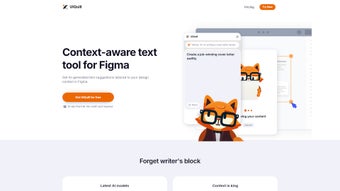

Download UIQuill – AI Text Suggestions for Figma Designs
Overview
UIQuill is a cutting‑edge, AI‑powered tool designed specifically for designers who work inside Figma. By analysing the visual context of a single text layer, a group, an entire frame, or even a full page, UIQuill instantly proposes copy that matches the intended function, style, tone, and length of the design element. Whether you need a headline that feels bold and persuasive, body copy that stays friendly and concise, or placeholder text that mimics real‑world SEO‑friendly language, UIQuill delivers suggestions that feel native to the project.
The application offers both light and dark UI modes, letting you stay comfortable during long design sessions. One of the most compelling aspects of UIQuill is its ability to dramatically cut down the time spent on text adjustment—what used to take minutes can now be completed in seconds, freeing you to focus on visual polish and user experience. In addition, the generated content is SEO‑optimised, giving you an extra edge when the design moves to a live website or marketing campaign.
UIQuill is available through a free trial that grants limited access, after which a subscription unlocks unlimited usage, the newest AI models, and regular feature updates. This review walks through the core features, installation steps, system compatibility, and the pros and cons that matter most to professional designers.
Key Features
- Context‑aware text generation for single layers, groups, frames, or full pages.
- Adaptive tone control – choose from formal, casual, technical, or brand‑specific voices.
- Length and style presets that respect design constraints such as character limits.
- SEO‑optimised copy that includes relevant keywords without sacrificing readability.
- Light and dark interface modes for comfortable usage in any environment.
- One‑click insertion directly into Figma, eliminating manual copy‑paste steps.
- Real‑time preview that shows how the suggested text fits within the existing layout.
- Customizable brand guidelines integration, allowing the AI to follow pre‑defined style guides.
- Free trial with a limited number of suggestions per month.
- Subscription model that provides unlimited suggestions, priority AI model updates, and premium support.
These features combine to create a workflow that feels almost magical. When a designer selects a text frame and activates UIQuill, the AI instantly scans surrounding elements—fonts, colors, layout density, and even the visual hierarchy—to generate copy that feels like it was written specifically for that space. The tone selector is especially useful for agencies juggling multiple brand voices; you can switch from a corporate, authoritative tone to a playful, youthful vibe with a single click.
The SEO‑optimised output is not a gimmick; it analyses keyword relevance based on the design’s subject matter, ensuring that once the mockup becomes a live page, the copy already aligns with search engine best practices. Light and dark modes respect the designer’s preference, and the direct Figma integration means there is no need to leave the design file, copy text, and paste it back—a process that often introduces formatting errors. Overall, UIQuill’s feature set is thoughtfully engineered to address the most common pain points in UI copy creation.
Installation & Usage Instructions
Getting started with UIQuill is straightforward, whether you are on Windows, macOS, or using the web‑based Figma desktop app. Begin by visiting the official UIQuill website and clicking the “Download for Figma” button. The site will prompt you to sign in with your Figma account; this step authorises UIQuill to access your design files securely. After granting permission, the plugin will appear in Figma’s Community tab under Installed Plugins. For users who prefer a manual approach, you can also download the .figplug file and drag it into the Figma window to install.
Once installed, open any Figma file and select a text layer (or multiple layers). Right‑click and choose Plugins → UIQuill → Generate Text. A side panel slides out, presenting a set of options: Tone, Length, SEO Keywords, and Style Guide.
Adjust these settings according to the design brief. For example, if you are designing a landing page for a fintech startup, you might select a Professional tone, a Medium length, and input keywords like “secure payments” and “instant transfer.” Click Generate, and within seconds UIQuill will populate the panel with three suggested variants. Hover over each suggestion to see a live preview of how the text fits into the selected frame.
Click the desired variant to replace the original text instantly.
The plugin also supports batch processing. Select an entire frame containing multiple text layers, activate UIQuill, and choose “Apply to All.” The AI will analyze each layer individually and provide appropriate copy for each, respecting the unique constraints of headings, buttons, and body copy. After you’re satisfied, simply hit Save and continue refining the visual design. Because UIQuill stores your preferences locally, future sessions remember your last used tone and length settings, further speeding up the workflow. The free trial limits you to 20 suggestions per month, which is ample for testing; the paid subscription removes this cap and unlocks priority access to the newest AI models.
Compatibility, Pros & Cons
UIQuill works seamlessly with the following environments:
- Figma Desktop App – Windows 10/11 (64‑bit)
- Figma Desktop App – macOS 10.15 (Catalina) and later
- Figma Web App – any modern browser (Chrome, Edge, Firefox, Safari)
- Figma Mobile – limited functionality (view‑only, suggestions available on desktop only)
Pros
- Instant, context‑aware copy generation that matches design aesthetics.
- Built‑in SEO optimisation helps bridge the gap between design and marketing.
- One‑click insertion eliminates manual copy‑paste errors.
- Custom tone and length controls cater to diverse brand guidelines.
- Light/Dark mode respects designer comfort during long sessions.
- Free trial allows evaluation before committing to a subscription.
- Regular AI model updates keep the suggestions current and relevant.
Cons
- Free trial limits the number of suggestions, which may feel restrictive for heavy users.
- AI suggestions may occasionally require minor tweaking to perfectly fit complex copy requirements.
- Currently no native support for Figma’s iOS/Android mobile apps beyond viewing.
- Subscription pricing could be a barrier for freelancers on a tight budget.
- Requires an active internet connection; offline usage is not supported.
Overall Rating: 4.5/5
UIQuill delivers a powerful blend of AI convenience and design‑focused precision. While the subscription cost and trial limits are minor hurdles, the time saved on copy creation and the SEO benefits make it a worthy addition to any Figma‑based workflow.
Frequently Asked Questions
Is UIQuill compatible with the web version of Figma?
Yes. UIQuill works in all modern browsers that support the Figma web app, including Chrome, Edge, Firefox, and Safari. The plugin is installed via the Figma Community and functions identically to the desktop version.
Can I use UIQuill without an internet connection?
No. UIQuill relies on cloud‑based AI models to generate text, so an active internet connection is required for every suggestion.
How does the SEO optimisation feature work?
When you enter target keywords, UIQuill analyses them against the design context and crafts copy that naturally incorporates those terms while maintaining readability and brand voice.
What happens after the free trial expires?
After the trial, you can continue using UIQuill by subscribing to a monthly or annual plan. The subscription removes suggestion limits and unlocks the latest AI updates.
Can I customize UIQuill to follow my brand’s style guide?
Yes. UIQuill includes a “Brand Guidelines” section where you can upload tone descriptors, preferred vocabulary, and formatting rules. The AI will then prioritize these preferences when generating copy.
Conclusion & Call to Action
UIQuill stands out as one of the most practical AI assistants for designers working within Figma. Its ability to understand visual context, deliver tone‑appropriate copy, and embed SEO considerations directly into the design workflow makes it a valuable time‑saver. While the need for an internet connection and the subscription cost are factors to weigh, the productivity boost and the quality of generated text often outweigh these drawbacks. If you’re looking to streamline the copy creation phase of UI/UX projects, reduce back‑and‑forth with copywriters, and ensure that your designs are ready for digital launch, UIQuill is worth a try. Start with the free trial today, explore the tone and SEO settings, and see how much faster you can move from concept to polished prototype. Download UIQuill now and let AI write the words that make your designs speak.



.png)



